The Newbie Forum The place where you should introduce yourself. Do not ask technical questions here, use the site forum sections.

posting pics

Thread Tools
 
Search this Thread
 
Old Jul 27, 2016 | 02:37 PM
  #1  
tinlizzie23's Avatar
Thread Starter
tinlizzie23
 
Joined: Jul 2016
Posts: 20
From: Luray, VA
posting pics

Please forgive my ignorance, but computer savvy I am not. Was going to try and post a pic of my '57 Olds, and went to the sticky "how to post pictures". First instruction is to click the "go advanced" tab. Unfortunately, I can't find that tab. I'm probably blind, but I just don't see it. Could someone give me a hand here and steer me back on the road ? Thanks
Old Jul 27, 2016 | 03:37 PM
  #2  
tru-blue 442's Avatar
Old School Olds
 
Joined: Nov 2008
Posts: 9,269
From: Marble Falls TX
Just scroll down a little farther, you will see it, lower right side.
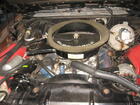
Click go advanced and then click manage attachments.
Attached Images
File Type: jpg
103_4264.JPG (523.8 KB, 4 views)
Old Jul 27, 2016 | 03:53 PM
  #3  
oldcutlass's Avatar
Administrator
 
Joined: Oct 2009
Posts: 42,456
From: Poteau, Ok
Its actually right next to the "Post Quick Reply" button.
Related Topics
Thread
Thread Starter
Forum
Replies
Last Post
oldcutlass
Non-Oldsmobile Classified
0
Dec 13, 2013 04:26 PM
oldcutlass
Cars For Sale
0
Dec 13, 2013 04:08 PM
oldcutlass
Parts For Sale
0
Dec 13, 2013 03:42 PM
ent72olds
Site Help
18
Mar 18, 2009 08:00 PM
morson82
Eighty-Eight
4
Jan 3, 2009 06:57 PM


All times are GMT -7. The time now is 05:37 PM.
