


Just Wondering If anyone needed help posting pics?

Thread Starter
Registered Luser
Joined: Aug 2006
Posts: 3,785
From: LI,NY
 Just Wondering If anyone needed help posting pics?
If anybody needs help posting pics, I can tell you how I post thumbnails which you can then click on and they will open up much bigger. The more threads I read, the more people I see with the same problems and questions... If you look at my thread in the Vista Cruiser Section on the '70 Vista Project and you'd be happy posting pics that way, I'll explain how....you just need to have microsoft photo editor on your cpu.....if enough people are interested in adjusting the sizes of their photos to make them fit here and they respond to this thread, I'll post directions then. Otherwise, no responses, I'll assume nobody is interested...
If you look at my thread in the Vista Cruiser Section on the '70 Vista Project and you'd be happy posting pics that way, I'll explain how....you just need to have microsoft photo editor on your cpu.....if enough people are interested in adjusting the sizes of their photos to make them fit here and they respond to this thread, I'll post directions then. Otherwise, no responses, I'll assume nobody is interested...


Registered
Joined: Jul 2006
Posts: 4,430
From: Northeast Ohio
I would like to know how to get bigger pics than the size limit here into a thumbnail, I still can't even figure out how to multi-quote.

Everyone else here may be better off that way though.


Registered User
Joined: Sep 2007
Posts: 1,728
From: Overton NV
IMO it's because the pages take forever to load and also get too wide if the pics are too big which is a real pain, especially for people with dial-up connections. Much easier to click on a thumbnail and not as in-your-face so to speak.
I would like to know how to get bigger pics than the size limit here into a thumbnail, I still can't even figure out how to multi-quote.
Everyone else here may be better off that way though.
I would like to know how to get bigger pics than the size limit here into a thumbnail, I still can't even figure out how to multi-quote.
Everyone else here may be better off that way though.
, one of these days I'll have to actually try to figure it out
Thread Starter
Registered Luser
Joined: Aug 2006
Posts: 3,785
From: LI,NY
I haven't been able to figure out the multi-quote thing either! I know 88coupe is the master at using that!...some people don't have photo bucket or maybe it's too involved? I don't know for sure as I've never used it...I like to see the pics right in front of me and click on them and open them up to full size...and Bluevista is right about sending them in a file that can be too big sometimes it won't even go through! When I get home later tonight I could explain step by step how I do it...maybe someone could explain the multi-quote thing!
...some people don't have photo bucket or maybe it's too involved? I don't know for sure as I've never used it...I like to see the pics right in front of me and click on them and open them up to full size...and Bluevista is right about sending them in a file that can be too big sometimes it won't even go through! When I get home later tonight I could explain step by step how I do it...maybe someone could explain the multi-quote thing!
Registered User
Joined: Sep 2007
Posts: 1,728
From: Overton NV
Some of these guys have figured out how to get their pics posted full size, kind of a neat trick, but my project is still in the ugly stages, so i'm not too worried about showing off yet . I just wish time and money would come together at the same time. I'm always working my azz off and flush, or broke and sitting on my .
  No in between in trucking.
. I just wish time and money would come together at the same time. I'm always working my azz off and flush, or broke and sitting on my . No in between in trucking.

Past Administrator
Joined: May 2004
Posts: 10,359
From: Rural Waxahachie Texas
When you look at a quote in the message composition box you'll notice it begins with a left bracket, then the word "quote" and possibly the equal sign with user name and a semi colon if you selected the quote option, then a right bracket. This tells the site to start a quote box, then at the end of the quote you'll see another set of brackets; left bracket, a forward slash the word "quote", then a right bracket, which tells the site to end the quote box. An easy way to make a multi quote is to select quote in the bottom of someone's post box and let the site build it for you, then whenever you want to make a comment you end the quote with the left bracket, a forward slash with the word "quote", and a right bracket. You can make your comment, then don't forget to start the quote again with a left bracket, the word "quote", and a right bracket. And go on and on from there as much as you need. Like this...
yes he is
neither have I
me too
There you go. don't forget to "preview post" before you submit to make sure you made no mistakes. Then you correct them before you "submit reply".
...some people don't have photo bucket or maybe it's too involved? I don't know for sure as I've never used it
...I like to see the pics right in front of me and click on them and open them up to full size
...and Bluevista is right about sending them in a file that can be too big sometimes it won't even go through! When I get home later tonight I could explain step by step how I do it...maybe someone could explain the multi-quote thing!
sometimes it won't even go through! When I get home later tonight I could explain step by step how I do it...maybe someone could explain the multi-quote thing!
Registered User
Joined: Dec 2005
Posts: 511
The last photos I posted were larger than the 80k or 90k limit. I guess this applies to the thumbnail size, because the photo's themselves are around 350k, but they uploaded alright. Then checking the post I saw that the thumbnails were within the size limit (around 75k). personally, I have no problem clicking on a thumbnail to enlarge it if I choose. The only thing I noticed when I uploaded my files, was that it took a few attempts before the files would upload. ????Chumley
Last edited by Chumley; Mar 15, 2009 at 06:05 PM.
Thread Starter
Registered Luser
Joined: Aug 2006
Posts: 3,785
From: LI,NY
 Posting thumbnails and enlarging them!
Thanks Dan for the multi-quote lesson! I'll have to practice that. I'm one of those guy's that learns better by watching and learning than reading and learning...
As far as the thumbnail posting, they way I do it,(and I'm no computer whiz, if anyone has an easier or quicker way , I won't be offended if you interject into this thread!), when you have your pics saved on your hard drive or where ever....
#1-open in microsoft photo editor
#2-double-click on photo to open larger
#3-top tool bar, click image
#4-click resize
#5-bring size down to 800x600pixels or 97kb
#6-click OK
#7-at top right drop down box, enlarge pic size back up again (ie: 125%)
#8-click file
#9-click save as
#10-click save!
This is how I do it. I only have to do it because my camera takes the pics to big and they won't fit to the size on the site I guess? Maybe not everyone has this problem? If this helps anyone, let me know, or if I can be of anymore help....and I may still need more help on the multiquote thing Dan.
I'll have to practice that. I'm one of those guy's that learns better by watching and learning than reading and learning...As far as the thumbnail posting, they way I do it,(and I'm no computer whiz, if anyone has an easier or quicker way , I won't be offended if you interject into this thread!), when you have your pics saved on your hard drive or where ever....
#1-open in microsoft photo editor
#2-double-click on photo to open larger
#3-top tool bar, click image
#4-click resize
#5-bring size down to 800x600pixels or 97kb
#6-click OK
#7-at top right drop down box, enlarge pic size back up again (ie: 125%)
#8-click file
#9-click save as
#10-click save!
This is how I do it. I only have to do it because my camera takes the pics to big and they won't fit to the size on the site I guess? Maybe not everyone has this problem? If this helps anyone, let me know, or if I can be of anymore help....and I may still need more help on the multiquote thing Dan.
Registered User
Joined: Oct 2008
Posts: 766
From: North East PA
One thing I'll add is if you know you will be taking alot of pics to upload you can reduce your picture quality on your camera settings before shooting, this will reduce the file size and save you having to resize alot of pics. One more thing on the multi-quote deal if you are answering a few thread responses at once you click multi quote on the responses you wish to answer then when you have finished selecting you click quote on the last response you selected and it will qoute all of the responses on your reply.
Registered User
Joined: Oct 2008
Posts: 766
From: North East PA
Here's an example of that type:
x2
me either
I'll second that one to
x2
me either
I'll second that one to
Thread Starter
Registered Luser
Joined: Aug 2006
Posts: 3,785
From: LI,NY
When you look at a quote in the message composition box you'll notice it begins with a left bracket, then the word "quote" and possibly the equal sign with user name and a semi colon if you selected the quote option, then a right bracket. This tells the site to start a quote box, then at the end of the quote you'll see another set of brackets; left bracket, a forward slash the word "quote", then a right bracket, which tells the site to end the quote box. An easy way to make a multi quote is to select quote in the bottom of someone's post box and let the site build it for you, then whenever you want to make a comment you end the quote with the left bracket, a forward slash with the word "quote", and a right bracket. You can make your comment, then don't forget to start the quote again with a left bracket, the word "quote", and a right bracket. And go on and on from there as much as you need. Like this...
yes he is
neither have I
me too
There you go. don't forget to "preview post" before you submit to make sure you made no mistakes. Then you correct them before you "submit reply".
yes he is
neither have I
me too
There you go. don't forget to "preview post" before you submit to make sure you made no mistakes. Then you correct them before you "submit reply".
One thing I'll add is if you know you will be taking alot of pics to upload you can reduce your picture quality on your camera settings before shooting, this will reduce the file size and save you having to resize alot of pics. One more thing on the multi-quote deal if you are answering a few thread responses at once you click multi quote on the responses you wish to answer then when you have finished selecting you click quote on the last response you selected and it will qoute all of the responses on your reply.
, I would have to read my camera directions to figure that out! Also, thanks, between you and Dan, I think I got this thing figured out!
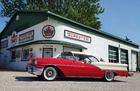
 Pics
Pics

Junior Member
Joined: Oct 2004
Posts: 2,212
From: Southern CA
Good idea, but any resolution over 800x600 is a PIA for many of us.

640x480 should work for everyone.

Simple "cut and paste" into your favorite text editor.
If you use the "quote" button, the code is already done. The text editor is used to put it in the right place.
Not to forget the post ID#. In this case, 69804: [QUOTE=Oldsguy;69804] =
This way, readers can click the blue button, to view the original post.
The most important part.
Norm
640x480 should work for everyone.
Simple "cut and paste" into your favorite text editor.
If you use the "quote" button, the code is already done. The text editor is used to put it in the right place.
This way, readers can click the blue button, to view the original post.
Norm
Junior Member
Joined: Oct 2004
Posts: 2,212
From: Southern CA
No problem for a 13 year old. She likes working on real cars.
Happy to.
Back on topic:
[url=http://www.irfanview.us]Irfanview[/url] is my default viewer for all images, will show up as:
Irfanview is my default viewer for all images.
Norm
Happy to.
Back on topic:
[url=http://www.irfanview.us]Irfanview[/url] is my default viewer for all images, will show up as:
Irfanview is my default viewer for all images.
Norm
Last edited by 88 coupe; Mar 17, 2009 at 01:21 AM.
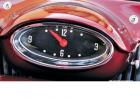
is Fast Enough ...
Joined: Jul 2008
Posts: 1,308
From: dogtown

Thread
Thread Starter
Forum
Replies
Last Post
oldcutlass
Non-Oldsmobile Classified
0
Dec 13, 2013 04:26 PM
oldcutlass
Cars For Sale
0
Dec 13, 2013 04:08 PM
oldcutlass
Parts For Sale
0
Dec 13, 2013 03:42 PM


