


Can a picture be attached to a private message?


Thread Starter
Registered User
Joined: Oct 2004
Posts: 7,743
From: Forest Ranch Ca.
Can a picture be attached to a private message?
I would have posted this in the site related forum but I found one just like this one and no one replied so does anyone know how to, or is it even possible to do this, I don't see a icon that allows me to attach a photo. lost outside the computer world...Tedd
Registered User
Joined: Apr 2011
Posts: 2,703
Check your pm...
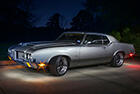
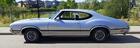
The only way to attach a picture is to have it hosted in an account with photobucket or similar hosting website. Then you paste the [IMG] code in your pm and the photo is there. If you need further assistance with setting up an account I can give you a how to. The picture I sent to your pm should look like this:

The only way to attach a picture is to have it hosted in an account with photobucket or similar hosting website. Then you paste the [IMG] code in your pm and the photo is there. If you need further assistance with setting up an account I can give you a how to. The picture I sent to your pm should look like this:
Just an Olds Guy
Joined: Jul 2008
Posts: 24,528
From: Edmonton, AB. And "I am Can 'eh' jun - eh"
Ted,
you can attach a picture in a PM only if you have an URL to copy into the Insert Image box.
There is no 'manage attachments' feature like the 'advanced' section of the forum has.
you can attach a picture in a PM only if you have an URL to copy into the Insert Image box.
There is no 'manage attachments' feature like the 'advanced' section of the forum has.
Just an Olds Guy
Joined: Jul 2008
Posts: 24,528
From: Edmonton, AB. And "I am Can 'eh' jun - eh"
Registered User
Joined: Apr 2011
Posts: 2,703
Did you notice the air cleaner? lol! Which Mike?
Just an Olds Guy
Joined: Jul 2008
Posts: 24,528
From: Edmonton, AB. And "I am Can 'eh' jun - eh"
2. Slantflat
Registered User
Joined: Apr 2011
Posts: 2,703
1. No, on forum threads I use the attach image (paperclip) tool. Then I open the image, copy the URL and paste it full size using the Insert Image tool. If I took the image direct from my photobucket acct, I would copy the IMG URL from there, then paste it into the 'insert image' tool. You wouldn't see the images below, and I could insert up to 20 images instead of the 5 that 'manage attachments' limits you to. Just have to be careful the images are inserted in vertical order.
2. Slantflat
2. Slantflat


