


THAR SHE BLOWS!


Registered User
Joined: Jun 2009
Posts: 338
Here's 1 way:
bring up the pic, right click, open as either MS Pic MGR or Photo Gallery (which I'll use as an example).
Click on edit pic, then resize, select predefined WxH, select either web large (if it'll fit, should!) or web small, click OK.
Save & exit!
Hope this helps!
 Ralph
Ralph
bring up the pic, right click, open as either MS Pic MGR or Photo Gallery (which I'll use as an example).
Click on edit pic, then resize, select predefined WxH, select either web large (if it'll fit, should!) or web small, click OK.
Save & exit!
Hope this helps!
Ralph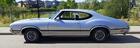
Just an Olds Guy
Joined: Jul 2008
Posts: 24,528
From: Edmonton, AB. And "I am Can 'eh' jun - eh"
Post time.......aaaaand they're off!!!
Looks like you're "cropping" instead of resizing. That will definitely lose some of the picture.
Here's what I do, and it bypasses the CO manage attachments on the advanced posting window.
1. Go to photobucket and open an account. It's totally free.
2. create an album. then go to the upload tab. It will let you browse back to whereever you store your pics on your computer. Most of the time it's from "my pictures" right?
3. If you have lots of pictures, hold down the CTRL key and clik just the ones you want to upload. (this allows you to be selective instead of selecting all of the pics)
4. At the bottom of the browser window, clik the "open" button and the pics will be copied to the photobucket album. It may take a few minutes, so grab a coffee.
5. Choose "save pictures and return to album". Now you have the photos where you want them.
6. Open CO and find a thread you want to post pics in. NOTE: Open a NEW TAB to do this because you have to go back and forth between browser tabs to copy/paste your photos. If you don't use 2 separate tabs, the CO posting window will delete everything you posted if you try to use the forward and back arrows on the web browser. I don't know why, it just does.
7. select a photobucket pic. right clik your mouse, choose copy. Go to the CO post and right clik your mouse, choose paste. THEN HIT RETURN so the pics will appear in a list as you view them. If you hit RETURN 3 times between posting new pics, this gives you room to insert captions under the pic. Repeat process as needed.
What you should end up with is a full size photo that anyone can see when they browse logged in or not. Like this:
cid_3CA766C54A0B46F6A67BECAB21786F7.jpg?t=1261585731
"mmlphhw rrellllllllllllsssssdhh mmfdf ddrerrrr"
IMG_1097.jpg?t=1261586136
"These cost me $4.00 - $1.00 each -at the wrecker" They cost over 30.00 new at Fusicks.
Hope this helps. If you have any probs, send me a PM and I'll try to walk you through it ok? I know this picture posting is frustrating. I went through it too until I got it figured out.
Just an Olds Guy
Joined: Jul 2008
Posts: 24,528
From: Edmonton, AB. And "I am Can 'eh' jun - eh"


Just an Olds Guy
Joined: Jul 2008
Posts: 24,528
From: Edmonton, AB. And "I am Can 'eh' jun - eh"




Thread Starter
Registered User
Joined: Oct 2009
Posts: 36
From: Chicago Il
Much Thanks To ALL you guys! Not very good pics. The trim looks crooked on the 1st pik but it's gotta be the camera. When I get her presentable, detail under the hood etc., if you guys are still interested Ill get good piks. No doubt after all this screwin around you guys have probaly had eneugh of this thread. Thanks Again. Rich

Thread
Thread Starter
Forum
Replies
Last Post
billleft
Electrical
11
Jan 17, 2014 05:31 PM


