


View Poll Results: What size pics do you prefer?
Clickable thumbnail


5
17.86%
Large, full screen size


23
82.14%
Voters: 28. You may not vote on this poll
What size pics do you prefer?

Thread Starter
Registered Luser
Joined: Aug 2006
Posts: 3,785
From: LI,NY
 What size pics do you prefer?
Just taking a little scientific poll here....when posting pics, I always do it in thumbnail form, which you can click on to enlarge. Many folks here post very large, screen size pics! Which do you prefer, and why? Reason I ask is, I may start using the larger pics moving forward....thanks for voting!

Just an Olds Guy
Joined: Jul 2008
Posts: 24,528
From: Edmonton, AB. And "I am Can 'eh' jun - eh"
Gee Erik,
For the most part I find the larger ones are more convenient for 2 reasons:
1. They're easier to see (and my bifocals are getting older....)
2. Even the folks who aren't signed in can see them (but they can't see the thumbnails)
Anyway, that's my 2¢
EDIT: duh, I just came back to 'vote'. Sorry bout dat!
For the most part I find the larger ones are more convenient for 2 reasons:
1. They're easier to see (and my bifocals are getting older....)
2. Even the folks who aren't signed in can see them (but they can't see the thumbnails)
Anyway, that's my 2¢
EDIT: duh, I just came back to 'vote'. Sorry bout dat!
Last edited by Allan R; Jan 2, 2013 at 07:45 PM.
Just an Olds Guy
Joined: Jul 2008
Posts: 24,528
From: Edmonton, AB. And "I am Can 'eh' jun - eh"
Absolutely. What you should do sometime is NOT login to the site, just go through it like a visitor would. That's how I learned about that. Also, the headings change a bit when you view the site as a visitor. They don't see "New Posts". They see a listing of "Today's Posts" which may or may not be in updated time sequence. This is the site that just keeps giving.....



Big Daddy No Bucks
Joined: Jul 2010
Posts: 893
From: SW Florida
Generally yes ... there's a limit here as to the size(s) you can post.
Hosting them elsewhere can also provide a nice compromise to the thumbnails vs larger pic debate & the pros & cons of each pointed out above.
Most photo hosts give you the option to post thumbnails (which can be seen by everyone - even those not logged in) that can be clicked on & open up much LARGER pics.
This in theory should keep more people happy.
Hosting them elsewhere can also provide a nice compromise to the thumbnails vs larger pic debate & the pros & cons of each pointed out above.
Most photo hosts give you the option to post thumbnails (which can be seen by everyone - even those not logged in) that can be clicked on & open up much LARGER pics.
This in theory should keep more people happy.

Just an Olds Guy
Joined: Jul 2008
Posts: 24,528
From: Edmonton, AB. And "I am Can 'eh' jun - eh"
That is why we suggest uploading just even 5 at a time to CO. The CO server will host them and they will be here for all to see as long as the CO servers are sponsored/maintained with IB.


Moderator
Joined: Jun 2006
Posts: 514
LARGE PICTURES. With my old eyes I enjoy seeing large pictures that show the details well. I got in the habit of using photobucket when I started here years ago. But recognize if my account there goes away then the photos will too.
John
John

Registered User
Joined: Feb 2010
Posts: 906
From: Windsor, Ontario
I prefer large pics as well but sometimes I will post thumbnail size pics.
Sometimes I like making non members work to view a pic. Other times I like everyone who drops by the site to easily be able to view a pic.
The only problem I see is, pages with lots of pics take longer to load.
1966DodgeA100Custom360.jpg
Sometimes I like making non members work to view a pic.
Other times I like everyone who drops by the site to easily be able to view a pic.The only problem I see is, pages with lots of pics take longer to load.
1966DodgeA100Custom360.jpg
Last edited by Jaybird; Jan 3, 2013 at 07:59 AM.

Registered User
Joined: Jun 2009
Posts: 15,192
From: southeastern Michigan
Given the number of times I've seen people on here complain about their inability to post pics to the site using the "manage attachment" feature either because the file sizes are too large or the photos are in the wrong format or who knows what, and given the number of times I've seen one of the moderators go through the same old "photo posting 101" message, I'm surprised that CO even bothers to offer to host photos any more.
Putting your photos on something like photobucket or picasa, which is what I use, is so much easier it isn't funny. Yes, as Allan says, if you do this and then remove your photos from the hosting site, the link to the photos here will be broken. However, this is a very minor concern in my opinion. Places like picasa give you SO much free storage space that you basically have no reason to ever delete your photos.
Putting your photos on something like photobucket or picasa, which is what I use, is so much easier it isn't funny. Yes, as Allan says, if you do this and then remove your photos from the hosting site, the link to the photos here will be broken. However, this is a very minor concern in my opinion. Places like picasa give you SO much free storage space that you basically have no reason to ever delete your photos.
Registered User
Joined: Jun 2009
Posts: 15,192
From: southeastern Michigan
Now, having said the above, I find that people who do use a hosting site sometimes leave their photos in too large a format. They're so large you have to use the scroll bars on the edges of the screen to see the whole thing. This is just as bad as having to click thumbnails, and there's a simple solution. RESIZE your photos before uploading them to picasa or wherever.
I use Image Resizer for Windows.
http://imageresizer.codeplex.com/
It's free, it's very simple and easy to use, it resides in the right-click pop-up menu whenever you click on a jpg file, you can choose from pre-set sizes or choose your own custom size, and you can choose to resize the original photo or make a new, resized copy. I couldn't recommend it more highly, I've done so many times, and there is now no reason for anyone to ever post an over-sized photo to this site again!
I use Image Resizer for Windows.
http://imageresizer.codeplex.com/
It's free, it's very simple and easy to use, it resides in the right-click pop-up menu whenever you click on a jpg file, you can choose from pre-set sizes or choose your own custom size, and you can choose to resize the original photo or make a new, resized copy. I couldn't recommend it more highly, I've done so many times, and there is now no reason for anyone to ever post an over-sized photo to this site again!

Registered User
Joined: Jul 2008
Posts: 5,507
From: Seneca Falls, NY
I almost always use imageshack.com to upload my pics and then post them here with image tags so they are full size. I've never had to resize a pic after uploading to imageshack. They are automatically resized for forum use


Registered User
Joined: Aug 2009
Posts: 9,479
From: Muskegon, Mi.
I have been using Picasa for a couple of years, and usually copy the url here, but i used up all of my storage space there with car photos, and I am now transferring them to Windows. With a url you can post a ton from a car event and view as a slideshow, so much more convenient.
Just an Olds Guy
Joined: Jul 2008
Posts: 24,528
From: Edmonton, AB. And "I am Can 'eh' jun - eh"

1968 Olds Cutlass S
Joined: Dec 2008
Posts: 428
From: Seattle, WA
Or just create a photo album in Google+ and include a link so people can view hi-res photos. In two years when Picasa, and the outdated Photobucket, and other copycat sites are gone, you will already be light years ahead in posting your photos and videos.
Registered User
Joined: Dec 2011
Posts: 978
From: Tillsonburg Ont. Canada.
Henry? Go back to link 9 https://classicoldsmobile.com/forums...tml#post492581
Thread Starter
Registered Luser
Joined: Aug 2006
Posts: 3,785
From: LI,NY
Well Allan, I can fix a car, but apparently, can't figure out how to post the full size pics...I used your directions, but not happening.... ....I gotta be doing something wrong! But what.....?javascript:void(0);....when I right click on the pic, I don't get the "copy IMG URL" option....I keep trying , but somehow, it comes up as a thumbnail...
....I gotta be doing something wrong! But what.....?javascript:void(0);....when I right click on the pic, I don't get the "copy IMG URL" option....I keep trying , but somehow, it comes up as a thumbnail...
Last edited by ent72olds; Jan 4, 2013 at 03:03 PM.
Registered User
Joined: Jun 2009
Posts: 15,192
From: southeastern Michigan
What site are you trying to use? Some of them, and I believe photobucket is one, specifically prevent you from copying an image location because they consider this "stealing" the pic even though you're just linking to it. So if you right click on a photobucket image, you don't get the usual "save image as" or "copy image location" or "copy image URL" that you usually get. In this case, I would just use something other than photobucket.
Thread Starter
Registered Luser
Joined: Aug 2006
Posts: 3,785
From: LI,NY
What site are you trying to use? Some of them, and I believe photobucket is one, specifically prevent you from copying an image location because they consider this "stealing" the pic even though you're just linking to it. So if you right click on a photobucket image, you don't get the usual "save image as" or "copy image location" or "copy image URL" that you usually get. In this case, I would just use something other than photobucket.

Registered User
Joined: Jun 2009
Posts: 15,192
From: southeastern Michigan
You can't link to a photo that is not on a web server somewhere. Your own computer is not a web server. All you can do with photos on your computer is upload them to CO the old-fashioned way using the "manage attachments" feature, and then those photos become a permanent part of this site.
By uploading your photos to picasa or whatever, you are putting them on a server which allows anyone with the link to see them. But more importantly, the photos are permanently a part of THAT server. They're not on your computer (at least not as far as the WWW universe is concerned), and they're not on CO.
By uploading your photos to picasa or whatever, you are putting them on a server which allows anyone with the link to see them. But more importantly, the photos are permanently a part of THAT server. They're not on your computer (at least not as far as the WWW universe is concerned), and they're not on CO.
Thread Starter
Registered Luser
Joined: Aug 2006
Posts: 3,785
From: LI,NY
You can't link to a photo that is not on a web server somewhere. Your own computer is not a web server. All you can do with photos on your computer is upload them to CO the old-fashioned way using the "manage attachments" feature, and then those photos become a permanent part of this site.
By uploading your photos to picasa or whatever, you are putting them on a server which allows anyone with the link to see them. But more importantly, the photos are permanently a part of THAT server. They're not on your computer (at least not as far as the WWW universe is concerned), and they're not on CO.
By uploading your photos to picasa or whatever, you are putting them on a server which allows anyone with the link to see them. But more importantly, the photos are permanently a part of THAT server. They're not on your computer (at least not as far as the WWW universe is concerned), and they're not on CO.
Registered User
Joined: Jun 2009
Posts: 15,192
From: southeastern Michigan
The best thing to do is what I suggested above. Whatever size photos are your originals, RESIZE them, right on your computer, using a program like the one I mentioned above. Choose a size somewhere in the 1024 by 768 range. That will result in a photo that is about 150 kb in size, which is a very quick upload. Then upload the resized photos to your site of choice, and when you link to them here, they will be large enough to view comfortably but not so large that portions of the image scroll off the side or the bottom.


Thread Starter
Registered Luser
Joined: Aug 2006
Posts: 3,785
From: LI,NY
Just an Olds Guy
Joined: Jul 2008
Posts: 24,528
From: Edmonton, AB. And "I am Can 'eh' jun - eh"
Erik, just remember that if you move your pic to a different folder in Image shack, or delete the pic there, the picture on C.O. will also be deleted. The URL you are posting here looks for the location on Image shack. As long as you do that, your pics here will stay on the site until something happens to break that link.
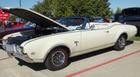
BTW, looks like the girls really like riding in the vert!
BTW, looks like the girls really like riding in the vert!
Thread Starter
Registered Luser
Joined: Aug 2006
Posts: 3,785
From: LI,NY
Well that doesn't sound to good....moving forward with the Vista Project, I was going to load pics there, then post full size here. Are you saying that I should also save them on my computer also? Forgive me for being Stuuu-peed....
Registered User
Joined: Jun 2009
Posts: 15,192
From: southeastern Michigan
Second, I say yes. I keep EVERY photo I have ever taken with any of my cameras on my computer's hard drive regardless of whether or not I've uploaded them to a website. I have them going back to the first digital camera I owned in about 2002. (One of my future projects is scanning into the computer all of the pre-digital prints we've got in photo albums dating to the 1970s and that are slowly yellowing.)
Hard drive space is CHEAP, so there's no reason not to keep everything. Spend $100 and get a 1 TB hard drive, and it'll take you the rest of your life to fill it up. You'll never know how many times I've been pleased to be able to hunt up an image I took at some family event years ago.


