When you click on links to various merchants on this site and make a purchase, this can result in this site earning a commission. Affiliate programs and affiliations include, but are not limited to, the eBay Partner Network.
https://www.facebook.com/marketplace/item/931184548628766/?mibextid=dXMIcH
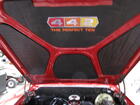
Not sure why the fakebook link doesn't work. I am not on fakebook so? Friend of mine sent me this. Seller is asking 1000 dollars. Zero front end shots so no telling if it has the correct hood.
Not sure why the fakebook link doesn't work. I am not on fakebook so? Friend of mine sent me this. Seller is asking 1000 dollars. Zero front end shots so no telling if it has the correct hood.
You see what I just did there (above post)? What I posted was a properly formatted URL link to FB. CO "does not" allow a properly formatted Facebook URL link to be posted - wait for it - UNLESS it is posted as a QUOTE.
Note Joe's statement "The link at the very bottom of your post works fine." No it does not. That is NOT a link. That is a "path" - it is not a properly formatted URL link it exists only as a path.
I'll attempt to construct a response best I can relative to a FB URL link on CO.
The inability or ability to witness (visualize) a FB URL link is dependent on two primary factors: (1) The Browser the CO member is using; and (2) How the CO website is configured to allow &/or disallow external URL links. I don't have control of anyone's Browser other than my own (I use Mozilla/Firefox). I have loaded also MS Edge/IE (primarily to resolve non-negotiated Browser HTML and I surely have no control of configuring the CO external URL website parameters. The (above) URL in Post #1 resolves via Edge/IE...it does not resolve via Mozilla/Firefox. I am not about to test Chrome or any other Browser. But the interplay is one of CO website configuration parameters for external URL links (e.g. Facebook) and the Browser being employed.
I think Joe was saying if you copied the link and pasted it you got the post.
There exists many ways you can copy/paste a path & place it into a Browser. My point remains - it is not a URL link it exists ONLY as a path (routinely referred to as a STRING).
I think Joe was saying if you copied the link and pasted it you got the post.
That's why I posted the link both ways.
Correct. The forum software for some reason will helpfully display a Facebook link as Just "Facebook". I've found that you can edit the post and display the link as text only and then it works (well, at least in Firefox).